
Attorney Partner Tour

One central professional system. Focused legal portals for the public.

See the Smarter Justice model in a concise guided or self-guided sequence: central professional identity, a practice-relevant portal, a clear profile structure, one public tool, and a direct next step.

15 secondsUnderstand the central role
2 minutesSee a relevant portal, profile, and tool
10 minutesReview management, membership, and next steps

This tour does not create an account, publish a profile, activate payment, connect a live portal, or guarantee clients, revenue, ranking, appointments, or outcomes.

Choose how to reviewThe full tour shows every section on one page.
Print follow-up card

Smarter Justice’s role

Central management without replacing specialty portals.

Smarter Justice coordinates professional accounts, one core profile, firm and office relationships, claims, verification workflows, membership, support, and approved read-only profile distribution. Each legal micro-portal remains a separate product with its own specialty content, public profile pages, tools, repository, deployment, and rollback.

  • One central professional identity and core profile.
  • Free basic profile claiming, correction, suppression, and removal.
  • Separate specialty evidence, portal eligibility, publication, and membership states.
  • No automatic two-way portal synchronization during the controlled launch.
Next: see the relevant portal

Professional profile

A polished profile should show evidence, control, and clear boundaries.

Synthetic demonstration record — not a live attorney or firm

Example Attorney — Demonstration Record

Example Law Firm — Demonstration Record

The canonical public specialty profile belongs on the relevant micro-portal. Smarter Justice manages the central record and approved distribution; it does not create a second permanent specialty directory.

Next: demonstrate one public tool

Useful public tool

Device-only document preparation tools

Use synthetic demonstration content only. The tool does not create an attorney-client relationship or guarantee a legal result.

Demonstration rule

Use resettable synthetic input. Do not use a client file, survivor narrative, private claim, payment data, support note, confidential location, or unrestricted administrative account.

A return-to-tour control appears on the selected tool. Existing browser-local tools remain browser-local; confidential uploads and external AI remain closed.

Next: see the central dashboard story

Central professional dashboard

Every status should explain what it means and what happens next.

Core profileClaim review required

Account creation does not grant profile control.

Identity and credentialsSeparate evidence steps

Email, identity, professional status, and exact-profile authority are distinct.

Portal participationPractice evidence pending

Each portal independently reviews specialty relevance and publication.

MembershipOptional and separate

Payment does not complete verification, publication, or eligibility.

Firm and officeAuthority must be supported

Seats, billing ownership, and professional independence remain distinct.

SupportCorrection and removal available

Basic control rights do not depend on payment.

This is a public demonstration of status concepts, not an authenticated account or administrative view.

Next: review membership value

Continue after the meeting

Return through one stable, privacy-minimized path.

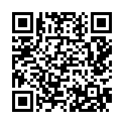
QR code for the Divorce and family law Attorney Partner Tour Scan to reopen this practice-specific tour

No personal or matter data is encoded.

Launch boundary

Smarter Justice remains NO_GO. This tour is a demonstration and outreach-readiness improvement, not deployment approval or proof that any portal, payment, confidential upload, external AI, appointment, review, opportunity, or Justice Booth is live.